
Download Neural Studio – AI‑Powered Image Creation Tool for Free, Secure & Fast Design
Overview
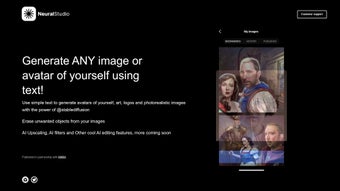
Neural Studio is a cloud‑native, web‑based graphics platform that brings the full power of Stable Diffusion‑based artificial intelligence to anyone with a modern browser. The service was built to eliminate the traditional bottlenecks of AI art tools – heavy GPU requirements, frequent manual updates, and fragmented workflows – by moving all computation to encrypted servers while preserving a responsive, drag‑and‑drop interface. Whether you need a photorealistic landscape for a marketing banner, a whimsical avatar for a gaming profile, or a clean vector logo for a startup, Neural Studio delivers results in seconds.
The platform supports a full creative pipeline: text‑to‑image generation, AI‑assisted editing (object removal, inpainting, upscaling), and instant export to PNG, JPEG, or SVG. A built‑in prompt library and community hub let you discover high‑performing prompt structures, remix popular creations, and receive feedback from thousands of creators worldwide. Because the service runs entirely online, new model releases, security patches, and feature roll‑outs happen automatically – you never have to download a new installer or worry about compatibility drift.
In short, Neural Studio combines the convenience of a SaaS product with the depth of a professional design suite, making high‑quality AI‑driven visuals accessible to hobbyists, educators, and design agencies alike.
Key Features that Set Neural Studio Apart
- AI Image Generation: Turn natural‑language prompts into high‑resolution images in under ten seconds. The engine supports a spectrum of styles, from ultra‑realistic photography to stylized illustration.
- Custom Avatar Builder: Generate personalized avatars with fine‑grained control over facial features, clothing, background, and lighting, perfect for social media, VR, or branding.
- Logo & Graphic Designer: Leverage AI‑suggested layouts, color palettes, and typography to prototype professional logos and marketing assets without a designer.
- Object Removal & Inpainting: Seamlessly erase unwanted elements; the AI intelligently fills gaps with context‑aware textures and structures.
- AI Upscaling (4×): Enhance any image up to four times its original size while preserving edge detail, ideal for print‑ready posters and large‑format ads.
- Smart Filters & Effects: Apply AI‑driven cinematic filters, HDR boosts, or hand‑drawn sketch effects with a single click.
- Prompt Library & Community Hub: Browse curated prompts, share your own, and explore trending creations for endless inspiration.
- One‑Click Export: Download results as PNG, JPEG, or SVG with customizable DPI, color profile, and transparent background options.
- Secure Cloud Processing: All generation occurs on encrypted servers; no local installation means your device stays lightweight and secure.
- Automatic Updates: The web app receives continuous model improvements, new style packs, and bug fixes without user intervention.
These capabilities are tightly integrated, meaning you can generate a concept image, upscale it, remove a stray object, and export a vector logo in a single, uninterrupted session. The AI models are retrained monthly, which translates into sharper details, better color fidelity, and a deeper understanding of nuanced prompts such as “golden hour lighting, shallow depth of field, 35mm lens.” For teams, shared folders let multiple users collaborate on a project, approve variations, and lock final assets for brand consistency. The combination of generation, editing, and export within a single browser window removes the need for multiple subscriptions, reduces licensing overhead, and speeds up the creative feedback loop dramatically.
Installation, Usage & Compatibility – Getting Started in Minutes
Neural Studio eliminates the traditional installation process entirely. As a pure web application, you only need a supported browser and an internet connection. Follow these steps to start creating instantly, and see how the platform adapts to every major operating system.
Step‑by‑Step Onboarding
- Open the Site: Navigate to neuralstudio.ai using Chrome, Firefox, Edge, or Safari. The site detects your device and loads an optimized UI for desktop, tablet, or phone.
- Create an Account: Click “Sign Up” and register with an email address, Google, or Apple ID. After email verification, you receive 20 free image credits per day, enough for daily experimentation.
- Select a Plan (Optional): If you need unlimited credits, higher‑resolution exports, or priority GPU queues, upgrade to the Premium plan ($14.99 / month). The upgrade is instant and adds the “Turbo” inference nodes to your account.
- Craft Your Prompt: In the main canvas, type a detailed description (e.g., “a serene mountain lake at sunrise, ultra‑realistic, 8k resolution”). Choose the desired output size and aspect ratio; the AI begins processing within seconds.
- Edit in Real‑Time: Use the sidebar tools to upscale, remove objects, or apply filters. Each adjustment shows a live preview, letting you iterate without re‑rendering from scratch.
- Export & Share: Click “Download” and pick PNG for web, JPEG for email, or SVG for scalable branding assets. You can also publish directly to the community hub or copy a shareable link.
- Access Support: If you encounter issues, the Help Center offers step‑by‑step articles, video tutorials, and live chat for Premium users.
Compatibility & System Requirements
Neural Studio works on any modern operating system that supports a current web browser, including Windows 10/11, macOS 10.15+, Linux distributions, Android 8+, and iOS 13+. Because all heavy AI processing happens on cloud servers, the local device only needs 2 GB of RAM, a recent GPU for smooth UI rendering (integrated graphics are sufficient), and a stable broadband connection (minimum 5 Mbps, 10 Mbps recommended for high‑resolution work).
The interface is fully responsive. On desktops you get a spacious workspace with drag‑and‑drop panels; on tablets the UI collapses into touch‑friendly cards; on smartphones the prompt box expands to full width, and the image preview supports pinch‑to‑zoom. Performance metrics show generation times of 5–10 seconds for 512 × 512 images and 15–20 seconds for 1024 × 1024 outputs on the standard queue. Premium users benefit from “Turbo” nodes that cut these times roughly in half, ensuring a near‑instant workflow during peak demand.
Security is baked in: every request travels over HTTPS/TLS, and uploaded assets are stored temporarily (max 24 hours) before automatic deletion. This design meets GDPR and CCPA standards, making Neural Studio a safe choice for commercial projects, client work, or sensitive brand assets.
Pros, Cons, Frequently Asked Questions & Conclusion
Pros
- Instant AI‑driven image generation without any local hardware requirements.
- All‑in‑one toolbox (avatars, logos, upscaling, object removal) streamlines the creative workflow.
- Generous free tier provides 20 daily credits for casual creators and testing.
- Continuous, automatic updates keep the model state‑of‑the‑art.
- Vibrant community hub offers prompt inspiration, feedback, and collaboration.
- Secure, cloud‑first architecture protects user data and eliminates local storage concerns.
Cons
- Premium features (unlimited credits, higher resolutions, priority queues) require a subscription.
- Dependence on internet connectivity means offline work is not possible.
- During peak hours, free‑tier users may experience short queuing delays.
- Effective prompt engineering can have a learning curve for beginners.
FAQ – Your Questions Answered
Is Neural Studio really free to use?
Yes. The platform offers a free tier that grants up to 20 image credits per day, which is sufficient for casual experimentation, learning, or small personal projects. No credit card is required to start.
Can I use Neural Studio on a mobile device?
Absolutely. The responsive design works flawlessly on Android and iOS browsers. Touch‑optimized controls let you type prompts, apply filters, and download results directly from your phone or tablet.
How does the AI upscaling work?
The upscaler uses a super‑resolution neural network trained on millions of high‑quality images. It intelligently reconstructs missing pixels, preserving edges and textures, so a 512 × 512 image can be enlarged to 2048 × 2048 without visible pixelation.
Is my data safe when I upload images?
Neural Studio encrypts all data in transit with HTTPS/TLS and stores uploaded files only temporarily (maximum 24 hours). After processing, files are automatically deleted, ensuring privacy and compliance with major data‑protection regulations.
What license do I get for images generated with the paid plan?
Paid subscribers receive a commercial‑use license that allows unrestricted use of generated assets in marketing, merchandise, client deliverables, and resale. Free‑tier images are limited to personal, non‑commercial use unless you upgrade.
Conclusion & Call to Action
Neural Studio bridges the gap between powerful AI art generation and everyday usability. Its cloud‑first architecture removes hardware barriers, while the rich feature set—ranging from avatar creation to professional‑grade upscaling—caters to both hobbyists and design agencies. By offering a generous free tier, a vibrant community, and continuous model upgrades, the platform positions itself as a go‑to solution for anyone looking to produce high‑impact visuals quickly and securely. Ready to transform your creative workflow? Sign up today, claim your free credits, and experience AI‑driven design without the steep learning curve.



.png)



